Prepare the draft
Turn a study and draft report into a structured review item with sections, urgency labels, and evidence for the clinician to inspect.
Bring report text, potential issues and source evidence into one review workspace. Your clinicians keep the final say.
$0 subscription fee during early access. No credit card required.
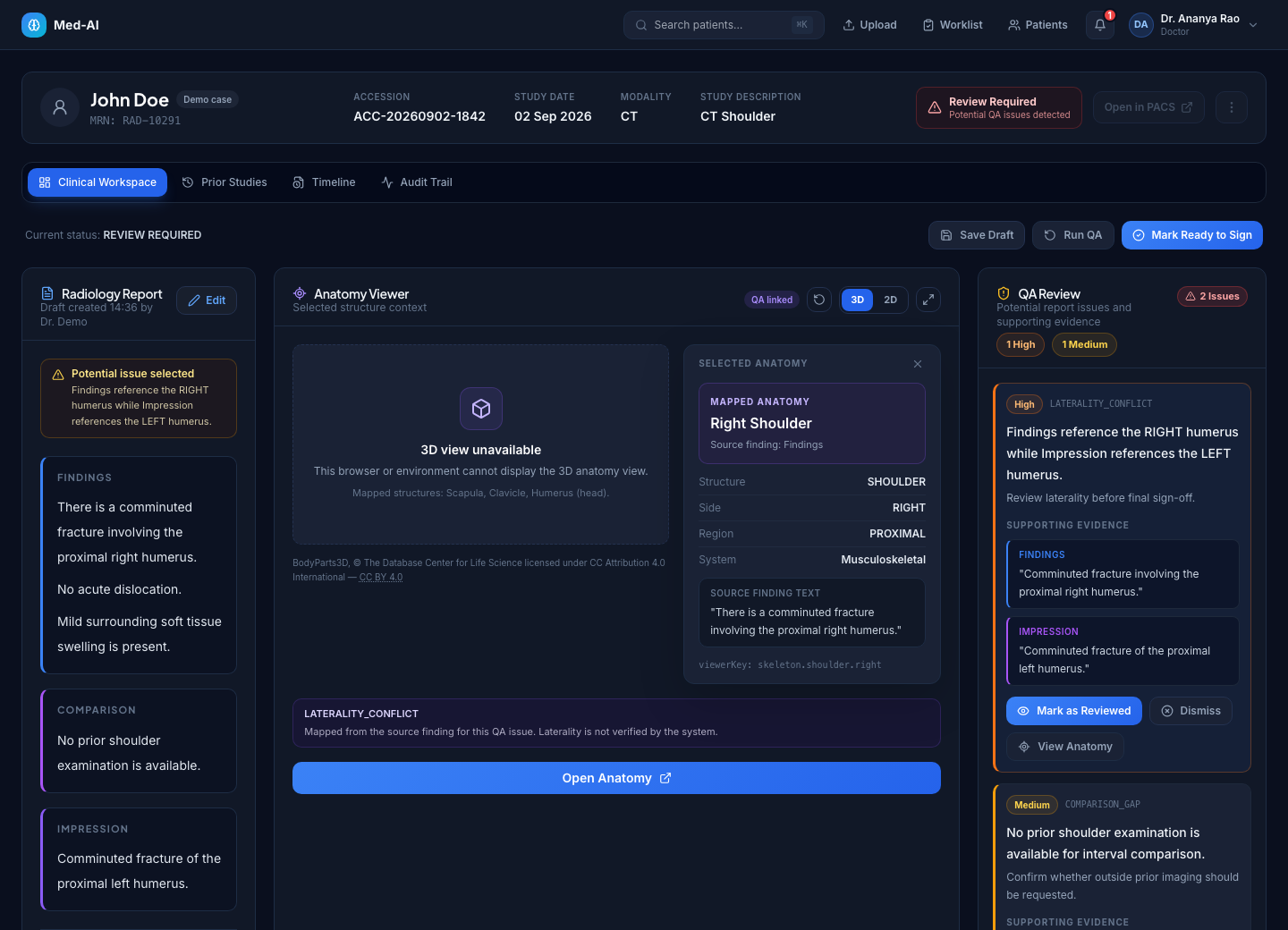
A report can contain conflicting sides, missing comparison context or inconsistent findings and impressions. Med-AI brings potential issues and their source evidence into the clinician’s review workflow.
Review draft sections, inspect potential laterality conflicts and comparison gaps, then decide what to correct before signing.
Rate useful alerts and record report edits. Use those observations to evaluate your team’s experience rather than assume that every suggestion helps.
Audit trails, clinician attribution, critical result workflows, consent models, and FHIR-oriented export are already part of the product architecture.
Review report sections, check evidence-linked alerts and record a clinician’s decision. Explore the workflow with synthetic cases before requesting a team workspace.
Turn a study and draft report into a structured review item with sections, urgency labels, and evidence for the clinician to inspect.
Surface laterality conflicts, missing prior comparisons, critical result acknowledgements, and report quality issues before final release.
Capture accept, edit, or reject decisions as quality data for model evaluation, clinician governance, and future rollout planning.
The screenshots below illustrate the application using synthetic demo data. They show representative workflow states. Any sample metrics are illustrative, not measured customer outcomes.
Review the draft and QA evidence side by side. Open mapped findings in the 3D Atlas to locate reference anatomy, then return to the report.
Follow a synthetic report from conflicting statements to an illustrative revision.
Explore the demo →Understand its role alongside reporting software, PACS and other AI tools.
Compare workflow roles →Read about free access, integrations, data handling and the limits of report QA.
Read the FAQs →Inspect the demo, workflow screens and data-handling details. Early access is for supervised evaluation; customer outcomes and independent certifications are not claimed.
Worklist, clinical workspace, QA analytics, audit posture, tenant isolation, and review status are visible and explainable.
Evaluate alert usefulness, editing activity and elapsed reporting time using recorded workspace events. Publish outcomes only after measurement and review.
Confirm identity requirements, provider agreements, data handling and system integrations before planning a hospital deployment.
Try a synthetic case now, or request free early access for your team. We’ll confirm your workflow, usage capacity and onboarding scope with you.